How much does building a SaaS website cost in 2026? A complete breakdown


- What you’re actually paying for beyond design and development
- How different platforms affect the total cost
- Which factors drive SaaS website pricing up or down
- The hidden ongoing costs most SaaS teams forget to budget for
- Where can you save money without hurting performance or growth
How much does it cost to build a website? The not-so-simple answer is that the price can be as low as $100 (or less), as high as $100,000+, or anything in between. How much you’ll have to pay will depend on numerous factors. Do you wish to do it yourself or get professional help? Which features do you want to add? Are there any builders you want to use for the task, and which ones?
In the following guide, we did our best to break the SaaS website building costs down into clear ranges, so you know exactly what to expect if you’re planning to build a SaaS website in 2026.
What is the cost of building a website? Monthly SaaS website costs
Once you decide to build a SaaS, it’s important to understand that a SaaS is not a typical website. Yes, there will be regular custom website design and maintenance costs, such as:
- Domain name - aka your web address,
- Platform and hosting - a place where your site lives
- Premium themes and templates - they serve as design starting points with no-code builders,
- Plugin - add-ons that add functionality to your SaaS, but also APIs or third-party services for analytics, payment processors, and so on.
- Security and backups - so you can stay protected from threats and secure data recovery,
- SSL Certificate - necessary for securing data,
- SEO Tools - they will boost your search engine visibility.
- Maintenance and support - needed if you require technical help, updates, or monitoring.
- Server costs (for custom SaaS apps) - they grow as your SaaS gains more users and stores more data.
However, there are other requirements that are preferable for other websites, but necessary for a SaaS, if you want to stay up in the game. So, how much does it cost to design a website for SaaS? Besides the typical elements we mentioned above, you’ll also need to budget for:
- Uptime monitoring - so your site stays online and issues are caught on time.
- Backup - regular copies of your data that allow your SaaS to recover instantly if something breaks.
- Optimization - to keep the site fast and up to date.
- Analytics - to track traffic, usage patterns, and product performance.
- Product updates - to add features, for example, or fix bugs.
- CRO testing - running experiments to improve conversions.
How much does it cost to create a website? Platform-by-platform breakdown
We’ve prepared a simple breakdown that gives you a quick look at what you can expect to pay each month for some of the most popular SaaS building options, what each platform is best suited for, and what’s included in the price.
How much does it cost to build a website for a SaaS platform?
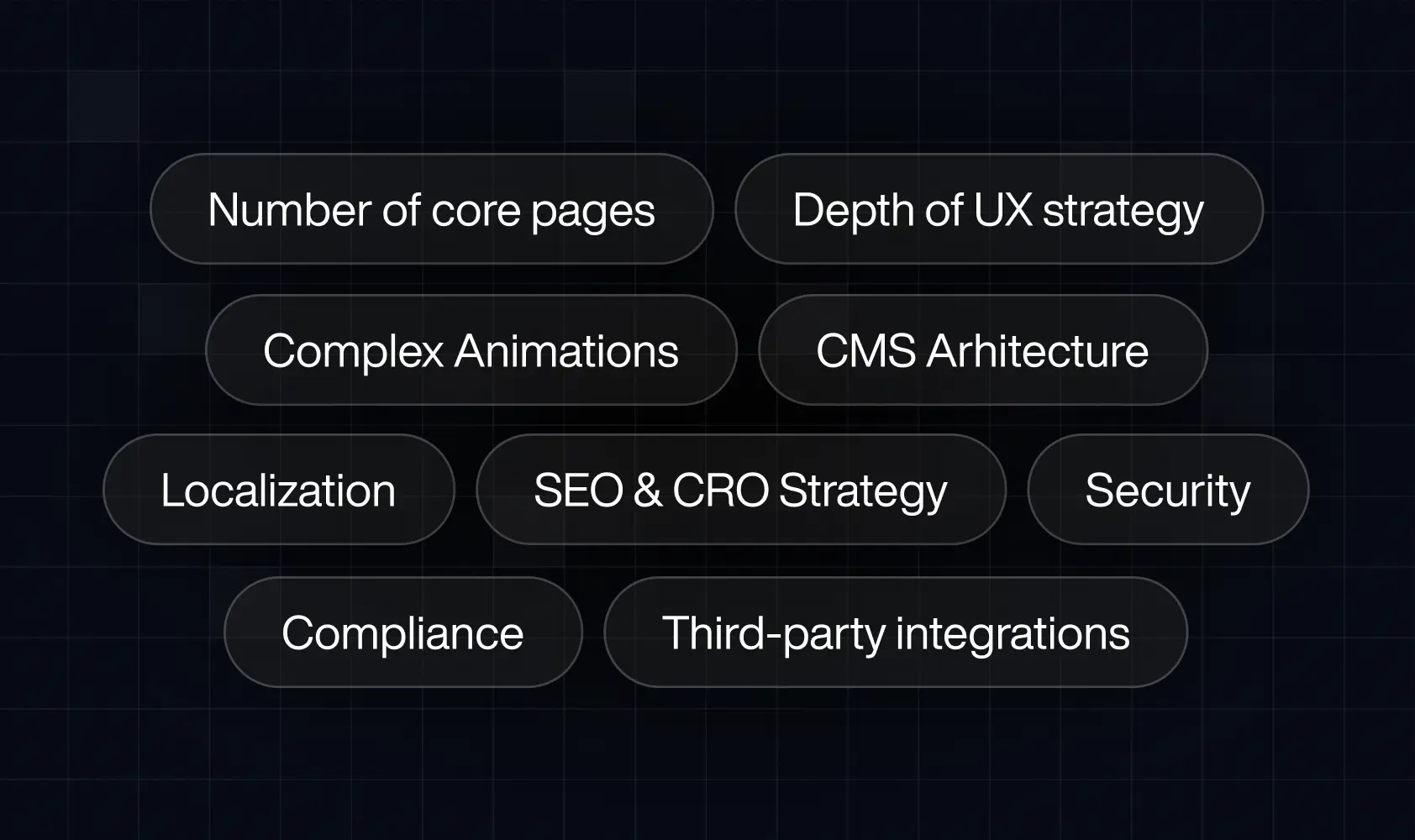
There is a difference in the cost of building a website for a small business and the cost of a SaaS website. A simple marketing website might only need a homepage, an about page, and a contact form - and that’s it. A SaaS website has unique requirements. With all the SaaS specifics in mind, the price of building this kind of website in 2026 will be affected by:
- Number of core pages
More pages mean more design, but also more content, layouts, and maintenance, which affects the price.
- Depth of UX strategy
While basic sites can skip strategy relatively unharmed, SaaS sites can’t. Wireframes, user flows, and messaging work are needed so the final site version can successfully guide visitors to the desired action (especially when multiple audiences are involved).
- Complex animations
Feature demos, or, for example, interactive UI previews, allow you to explain the product better, which is highly beneficial for a SaaS site. However, they take more time to design and optimize for performance and, therefore, drive higher costs.
- CMS architecture
Dynamic content, gated assets, comparison pages, and scalable resource libraries are all things SaaS needs, but they all require a far more advanced CMS setup than static pages.
- Localization or multi-region versions
Supporting multiple languages or regions is an effective way of accomplishing a user-centred design. That said, it also means more work - duplicating layouts, managing translations, handling regional pricing or legal content, not to mention ensuring consistency across all versions.
- SEO & CRO strategy
SaaS needs impeccable technical SEO and fast load times. It also thrives when there are clean site structures, analytics, and conversion tracking, preferably built in, so a SaaS site can grow problem-free. Built-in features, however, typically affect cost.
- Security & compliance standards
When owning a SaaS website, you’ll likely have to handle sensitive user data, which means security and compliance can’t be an afterthought. Meeting requirements like SOC 2 readiness, GDPR compliance, and proper cookie management changes how the site is planned and built, which increases the cost.
- Third-party integrations
Connecting the website to tools like HubSpot, analytics platforms, or, for instance, chat systems will add both setup time and cost.
Choosing your build approach - how the development path impacts SaaS costs
Cost-wise, it’s not the same whether you choose a no-code or custom builder. Not only that, but the final price can differ immensely depending on the no-code builder of your choosing. So, which path should you go with? The answer is not that simple, and can depend on the money you’re comfortable spending, but also the requirements you have for your SaaS site.
Here’s a simple table that can work as a directional guide. For further explanation, it is followed by a simple breakdown of what these numbers actually mean in practice.
- Website builders (Squarespace, Wix)
These no-code tools are affordable, no question there. However, the important note is that they’re not built for SaaS. They struggle with complex content, integrations, and conversion optimization. It’s likely you’ll outgrow them quickly, which will lead to a rebuild and, therefore, higher costs later on.
- WordPress
A good option for content-heavy SaaS sites. However, it’s important to note that advanced features usually rely on plugins, which translates to hidden costs - premium themes, ongoing costs for security, updates, and so on. It will not only affect your budget but also demand extra work on your part to keep the site running smoothly.
- Webflow (best balance for SaaS)
Webflow website design implies visual development, while this platform also comes with a powerful CMS and SEO foundations. It is not dependent on plugins and also allows you to make changes fast. Maybe the most important Webflow quality for SaaS owners is that this platform makes it easy to change things as you grow, which results in lower and more predictable costs over time.
- Custom development (React / Next.js + headless CMS)
Ideal for enterprise SaaS products that are of higher complexity. If there’s a need for deep integrations and dashboards, or, for example, multi-region setups, custom builds will offer maximum flexibility. However, it comes with much higher upfront investment and ongoing engineering costs.
SaaS website design costs
SaaS website design costs are made up of several different elements (from strategy to launch). We decided to break them down, so it’s easier to understand where your budget actually goes.
Discovery & strategy ($1,500 - $6,000)
Discovery and UX strategy cover elements such as messaging, value proposition, audience research, and user flows. So, how is the price set? The more complex your product or audience, the more time is needed to get the structure and story right - and the higher the costs. You can always opt to skip this part of the design costs. It will lower your upfront cost for sure, just keep in mind that it often leads to expensive redesigns later.
Brand & UI design ( $2,000 - $10,000)
Visual direction, color palettes, typography, and design systems are all a part of this design phase. A lightweight visual refresh will naturally cost less, while a scalable design system pushes costs higher (but reduces future design work).
Page templates ($2,000 - $12,000)
Each template requires layout as well as content hierarchy and responsive design. More templates wil grant you more flexibility, just be prepared to pay more for more design hours.
Interactive demos & motion design ($1,500 - $8,000)
Feature walkthroughs, microinteractions, hover states, and animations can all be quite helpful. However, they increase design and implementation time, which, as you’ve seen already so far, affects the price of SaaS building.
Graphics & illustrations ($1,000 - $6,000)
Custom icons, diagrams, dashboards, and visual explanations can be great assets for your brand. When it comes to the price, it’s typical for stock visuals to cost less. Custom elements, on the other hand, raise the price. Higher pricing can be worth it, since custom assets are more likely to improve clarity and brand differentiation.
Responsiveness & accessibility ($1,000 - $5,000)
Effective web design solutions bring responsive layouts that work across all devices and meet accessibility standards (like WCAG 2.2). However, these elements include extra design work and testing, and also represent something you need to budget for.
Behind the scenes - the hidden costs SaaS teams forget to budget for
Most SaaS teams focus on launch costs and assume the basics that follow the launch won’t be that much of a financial issue. Things like domains, hosting, and email feel minor, so they’re often underestimated or decided last-minute.
On top of that are the less visible costs, such as maintenance, integrations, compliance, optimization, and the like, that only become obvious when something slows down, breaks, or stops converting - and they come with a lot of unnecessary headaches.
So, for what do you need to budget after the design and development phase? The table below showsboth the essentials and the costs that matter once the site is live.
Expert tips on how to save money when building a SaaS website
Our team has worked on numerous SaaS websites across different stages, so we managed to learn some helpful practices. Here are some money-saving tips we adopted over the years:
- Start with a scalable CMS instead of rebuilding later.
- Focus on clarity and performance instead of simply copying the competitors.
- Reuse design system components to reduce build time.
- Document everything early (reduces redesign costs).
- Avoid plugin-heavy setups that create long-term maintenance costs.
- Invest in strong UX writing - it reduces user confusion and dev hours
Build a scalable SaaS website without (financial) surprises
Understanding SaaS website costs in 2026 is necessary if it’s something you’re considering. However, in order to succeed, the primary goal should be building a site that’s scalable and efficient - and that’s where our team comes in. Devolfs is here to help you plan, design, and launch websites without any hidden costs.
When you’re ready to turn your investment into a website that drives conversions, make sure to contact us - we’ll be glad to help.
FAQ
How much, on average, does it cost to build a website for SaaS in 2026?
Most SaaS marketing websites fall between $10,000 and $50,000+.
What impacts the cost of a SaaS website the most?
In most cases, the final cost will depend on the scope and complexity of the SaaS project.
How much does it cost on average to have someone build a website?
Depending on who you want to hire, as well as many other factors (design complexity, integrations, and the like), average costs typically range from $5,000 to $20,000+.
Is Webflow a good platform for SaaS websites?
Yes. It works for most SaaS teams because Webflow offers speed and flexibility alongside strong SEO tools and long-term cost control.
How much should startups vs. enterprise SaaS budget for their website?
- Startups / early-stage SaaS: $8,000–$20,000
- Growth-stage SaaS: $20,000–$50,000
- Enterprise SaaS: $50,000–$150,000+
Do interactive product demos increase website cost?
Yes, because they increase both design and development time.
Should SaaS brands invest in custom development?
Most SaaS brands don’t need custom code. Custom development, however, does make sense in some cases, for example, when there’s an enterprise SaaS in question, with complex logic, dashboards, and so on.
How much does ongoing SaaS website maintenance cost?
Typically $1,000–$4,000+ per year. The true cost can vary greatly and depend on how often the site is updated, or, for example, how many integrations it has.
How many pages does a standard SaaS website usually have?
Most SaaS websites have 10–30 core pages.

Read next


Let’s talk about what’s next.