Webflow AEO: How to Optimize Your Site for AI-Driven Search


- Answer engine optimization is about clarity and structure
- AEO increases the chance that AI systems select and cite your content.
- SEO and AEO complement each other, not compete with one another
- Webflow, with its main features, supports AI-friendly sites
- For AI-driven answers, structure matters more than visuals alone
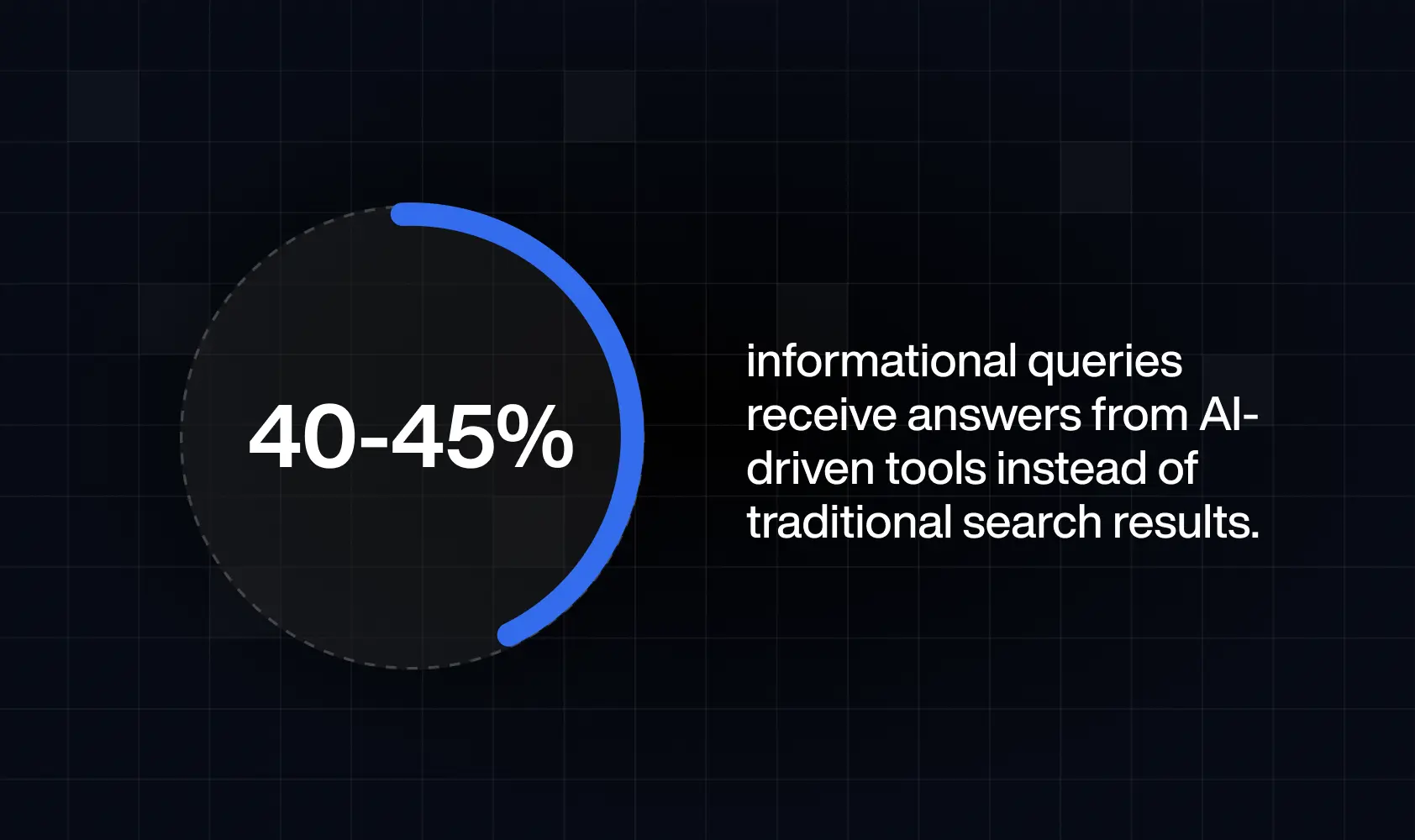
Studies show there is a 25% drop in traditional search queries. You’ve probably noticed it in your own behaviour, too - consumers are more and more skipping Google searches and turning directly to AI-generated answers. That’s why, if a business needs to maximise its visibility, its website needs to support both traditional search engines and AI-driven retrieval systems.
This is where Webflow AEO and SEO become a strategic advantage. When used as intended, Webflow is able to provide all the essentials that will make you discoverable across both search engines and AI systems. If you want to learn more about Answer Engine Optimization and how Webflow can help you build a future-ready foundation for AI, just read on.
Understanding Answer Engine Optimization
AEO is about creating easy-to-understand and well-organized content that directly answers people’s questions. The main AEO goal is to make search engines easily recognize your content as the best answer to show.
Answer engines use advanced language models to scan vast amounts of content that exists online. To respond to a specific question, these engines identify relevant content materials and then generate concise responses based on them. Instead of returning a list of links (like traditional search engines are meant to do ), they extract key pieces of information and blend them. Also, it’s often the case for original sources to be cited directly within the answer.
Is SEO still important?
AEO does not replace SEO. However, instead of just targeting keywords, AEO makes sure your content:
- Clearly explains a topic,
- Is well-organized,
- Shows real expertise,
- Fully answers a question,
- Is easy for both people and AI systems to understand.
For a strategy that covers both traditional search results and AI-generated answers, you need both SEO and AEO. Therefore, they should not be treated as competing approaches, but complementary ones.
AI search vs. traditional search - what’s different?
AI search and traditional search may both help users find information, but they work very differently. The table below highlights the key differences alongside what it means for your site and content strategy.
Before the AI revolution, visibility was all about ranking for high-volume keywords. Now, however, digital product design implies content aligned with user intent, but also presented in a clear format. It means that your website must have:
- Clear content hierarchies,
- Logical flow,
- Clear headings,
- Logical internal linking,
- Focused topic clusters,
- Answer-first writing,
- Pages built around real user questions,
- Direct and complete explanations,
- Demonstrated expertise,
- Well-defined sections.
The more of these elements your custom website has, the more likely it is to be referenced in AI answers.
Why visual design alone is not enough
A visually stunning site may still be poorly understood by AI if:
- Headings are misused for styling rather than structure,
- Important information is embedded in images without alt text,
- Content hierarchy is inconsistent,
- Div blocks replace semantic elements without clear roles.
For an AI-driven approach, structural clarity matters more than aesthetics alone. Luckily, Webflow is one of the platforms that gives designers the tools to build sites that both humans and AI can easily understand.
How Webflow websites are read by AI systems
What are the key factors that make Webflow websites easy for AI to understand? For AI-driven search, clean HTML, predictable layouts, and well-organized content matter just as much as visual design - and they are all simple to obtain through Webflow’s core features.
Clean HTML output and semantic structure
To provide the right answers to user questions, AI systems read the underlying code, structure, and content. it doesnt’t hurt that, for starters, Webflow websites can produce clean and semantic HTML. This platform gives the tools for strong semantics by allowing you to use proper headings, sections, lists, paragraphs, and other semantic elements.
Semantic structure helps AI systems:
- Identify main topics and subtopics,
- Distinguish primary content from navigation or footer elements,
- Recognize structured data patterns,
- Extract meaningful summaries.
Without proper semantic markup, even visually impressive websites may appear disorganized to machine readers. Therefore, it’s safe to say that Webflow gives the tools for strong semantics. However, it’s up to the developer or designer to implement them correctly.
How Webflow’s structure helps AI read your content
One of the key elements of Webflow’s content organization is CMS Collections. A CMS Collection is important for storing and managing similar types of content (blogs, service pages, and the like) in one place. Each post in one CMS collection has the same structure (for example, a title, summary, author, date, category, image, and body text). Because of it, AI systems can understand it more easily.
Webflow also makes it easier for answer engines to separate core information from supporting elements. This platform keeps the website structure consistent with reusable components as well as predictable layouts. Because of that, AI systems can quickly recognize which parts are repeated (like navigation or CTAs) and which parts are the unique main content of the page.
Essential Webflow settings that support AI visibility
It’s up to your team to structure website content well enough for AI systems and search engines to understand it. Therefore, we’ll provide some of the best practices to make essential Webflow settings support AI visibility:
- Clear page structure and heading hierarchy
As with SEO, it’s important to use one logical H1 per page and organize content with proper H2 and H3 subheadings. Styling text to look like a heading without actually using heading tags is not a clear enough signal for answer engines.
- Well-named CMS fields and relationships
Use descriptive field names (Author, Category, Summary, Publish Date, and the like), so both humans and machines easily understand what each piece of information represents.
- Consistent metadata
Page elements such as title, meta description, and alt text should all send clear signals about what the page is about.
- Strong performance and accessibility signals
Clean structure combined with good performance makes content easier for AI to process and trust. Therefore, make sure are images are optimized, maintain logical content order, add alt text, and ensure fast loading speeds.
Tools that support AEO on Webflow
There are many tools that can help you monitor and validate your AEO efforts, and also refine them when needed. Here are the most used tools that support AEO on Webflow, from built-in features to third-party and external solutions.
Content structuring & auditing (AEO-ready content)
- Webflow Audit Panel - checks for missing alt text, meta titles, meta descriptions, and schema markup.
- Webflow AI Content Generation - also generates missing alt text, metadata, and structured data to help make content easier for machines to read.
- Semflow - gives real-time feedback on structure and metadata.
- Schema Flow / Flowtrix Schema - easily add structured data across your site
- GA & GSC (Google Search Console + Google Analytics) - can show issues with structured data.
- AnswerThePublic - helps identify real customer questions that AEO content should target.
Schema & data validation
- Webflow Schema Markup Field - allows you to manually add or generate schema markup for any page or Collection item in Webflow settings.
- Schema Markup Validator - checks if your structured data (like JSON-LD) is set up correctly on your page.
- Google Rich Results Test - shows whether your page is well-optimized for rich results like FAQs, products, or events in search.
Performance and accessibility checks
- Google Lighthouse - a site audit tool for site performance, accessibility, best practices, and SEO
- Webflow Audit Panel - flags accessibility issues like missing alt text and accessibility signals alongside SEO/AEO issues
- NoBreakWeb (and other similar tools) - provide automated performance, SEO, and accessibility scanning directly on deployed URLs.
AI visibility testing & monitoring
- Scrunch AI - monitors how AI systems interpret and display your content, which allows you to see how your site appears in AI-generated answers.
- Google Search Console - shows how your site performs in search results, including traffic and visibility in featured snippets or rich results.
- Custom dashboards using SEO tools (such as Ahrefs, SEMrush, or internal BI tools)
Aligning SEO and AEO without trade-offs
In order to succeed, you need to build pages that are both easy to crawl and understand. It means you need to focus on both SEO and AEO, not choose one or the other. Here are some practices that work in favor of both:
- Include keywords, but design pages around real questions,
- Make sure headings reflect real topics and questions, not just keyword variations,
- Include brief summaries at the beginning of sections to help both users and AI quickly understand what the text is about (like we did here at the beginning),
- Use Internal links with purpose, so they connect related concepts.
Common AEO mistakes on Webflow sites
The structure and intent are so important that even well-designed Webflow sites can struggle in AI-driven search if they are overlooked. It’s easy to prioritize visuals, but you need more than them for AI systems to interpret the page correctly. It’s one of the most common mistakes we see businesses make - over-designing at the expense of structure.
It’s also common for people to treat AI optimization as a tool you install. As you were able to see, it most certainly is not. It’s a whole content and structure strategy.
We’ve also talked a lot about the importance of clarity for AEO, but we often see pages that target too many topics or don’t clearly answer a specific question, and it makes it hard for AI systems to get meaningful information.
Ignoring internal knowledge relationships is yet another mistake you should avoid, because content shouldn’t exist in isolation. Different page types should be logically connected through internal links and CMS references. It helps AI systems better understand your overall expertise.
When it makes sense to work with a Webflow AEO agency
As your website expands, keeping content and structure aligned with both SEO and AEO goals becomes harder to handle internally, which is why many turn to AEO professionals for help. Here are some of the signs you could benefit from their assistance as well:
- You’re publishing content, but visibility isn’t improving.
- Pages feel inconsistent.
- Structure varies from template to template.
- Your team doens’t have time to rethink how everything connects.
Webflow gives you powerful tools. Still, turning content, structure, and visibility into a system that actually works in your favour isn’t simple. It takes the right knowledge and strategy - which is where an AEO Webflow agency comes in.
What is the best Webflow AEO agency?
The best Webflow AEO agency is the one that can help you build durable visibility for your Webflow website, and do so by making your site easy to crawl and simple to interpret. At Devolfs, we build Webflow websites using today’s best practices to make more than just beautiful sites.
If your goal is to build a website that performs in the way modern search works (and in the way it’s evolving next), don’t hesitate to reach out to us.
FAQ
What is answer engine optimization, and how does it work?
AEO is a strategy for structuring and organizing content so AI systems can easily understand and extract it. Rather than targeting keywords, like in traditional SEO, AEO focuses on clear answers and logical flow, as well as demonstrating expertise.
How is AI search different from Google search results?
You can answer this from your own experience, as well. Traditional search shows ranked links. AI search, on the other hand, gives direct answers by interpreting and summarizing existing online content.
Can Webflow websites rank in AI-powered search tools?
Yes, but not automatically. Webflow websites can rank in AI-powered search tools only if they are well-structured and content-rich, with clear answers to real user questions
How do AI systems understand website content?
AI doesn’t read visuals, as a human does. It reads semantic HTML, headings, structured data, and consistent content patterns, which is why good AEO works on them.
Is SEO still relevant if AI search is growing?
Yes, they complement each other. SEO drives discoverability, while AEO ensures AI selects and summarizes your content.
What makes a website AI-friendly?
Clear structure, logical headings, organized content, and pages that directly answer real questions.
Do I need special tools to optimize for AI search?
Tools can help greatly, but they can’t replace good strategy and content clarity.
When should a company invest in an AEO strategy?
When your site grows and when internal teams struggle to maintain a consistent structure due to a lack of time or knowledge.

Read next


Let’s talk about what’s next.